Content management tools simplify keyword research, SEO analysis, scheduling social media posts, managing email campaigns, and coordinating teams. Without these tools, you risk:
- Missed SEO opportunities
- Disorganized social media planning
- Inefficient teamwork
Have you ever felt overwhelmed by the thought of managing multiple apps? Instead of juggling 20 different apps, you'll need only a few!
So, check out 5 tools every content manager should be using.
What Is a Content Manager?
A content manager guides each piece of digital content from idea to update. They rely on a tight set of content management tools:
- CMS tool for fast page edits
- Social-media content management tool for timed posts
- An enterprise platform that keeps every draft, comment, and file in one organized place.
Content Management Tools
1. SEMrush
SEMrush replaces CMS tools at once, allowing you to monitor your site's SEO, spot issues through site audits, and track how your pages perform over time—all from one dashboard.
Key features include:
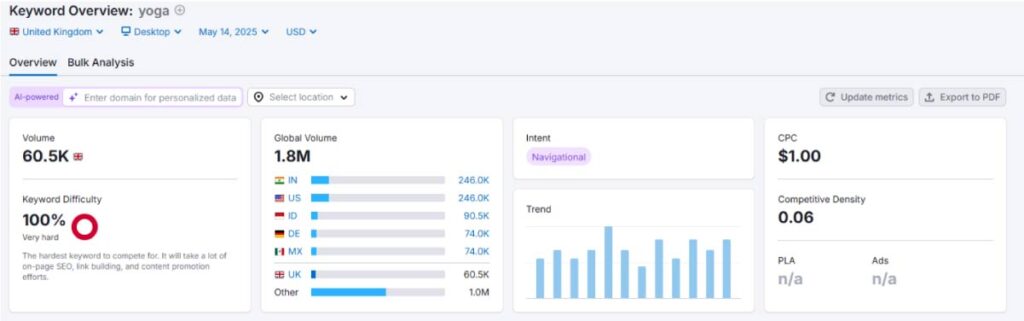
Keyword overview: Enter a keyword—say, "yoga"—to view metrics like search volume, difficulty, and search intent. This helps you choose terms that bring traffic.
Content analyzer: Review your articles and compare them with top-performing pages for improvements and suggestions to improve your ranking.
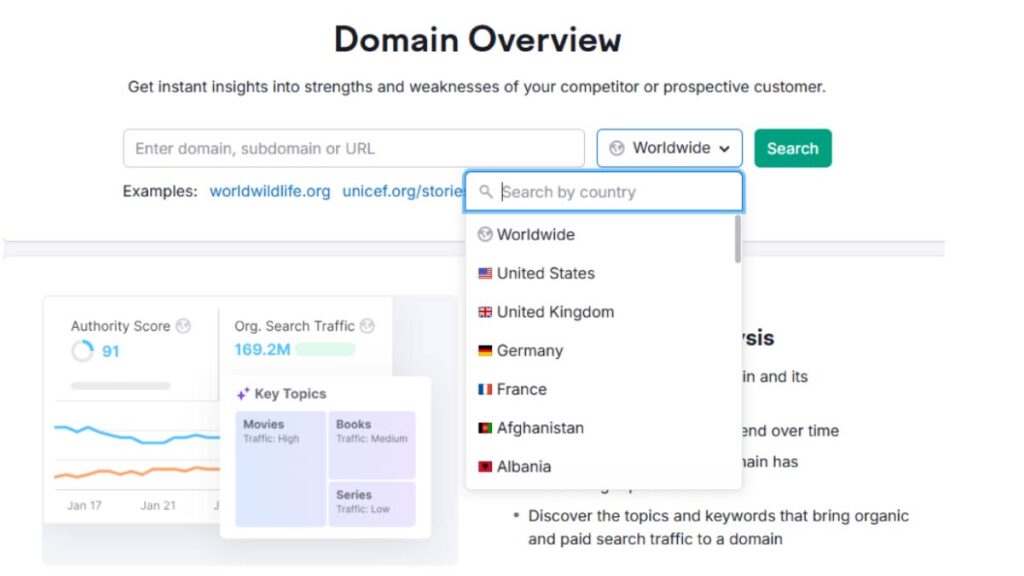
Competitor analysis: Input a competitor's domain to see which keywords they target and where they earn backlinks. This insight allows you to fill content gaps and refine your strategy.
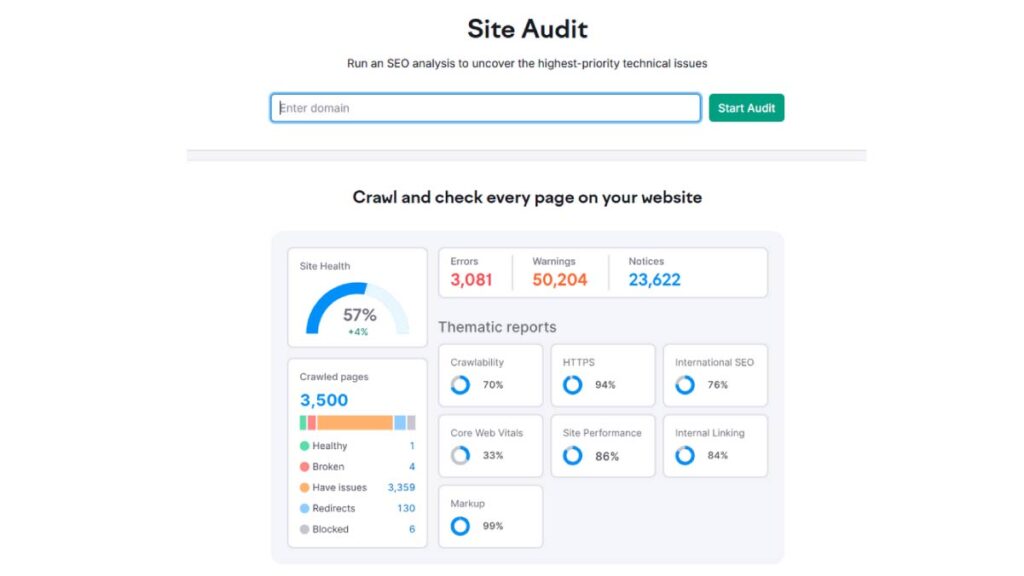
Site audit & rank tracking: Conduct a comprehensive audit to identify on-page issues and monitor your search rankings over time.
2. Google Search Console
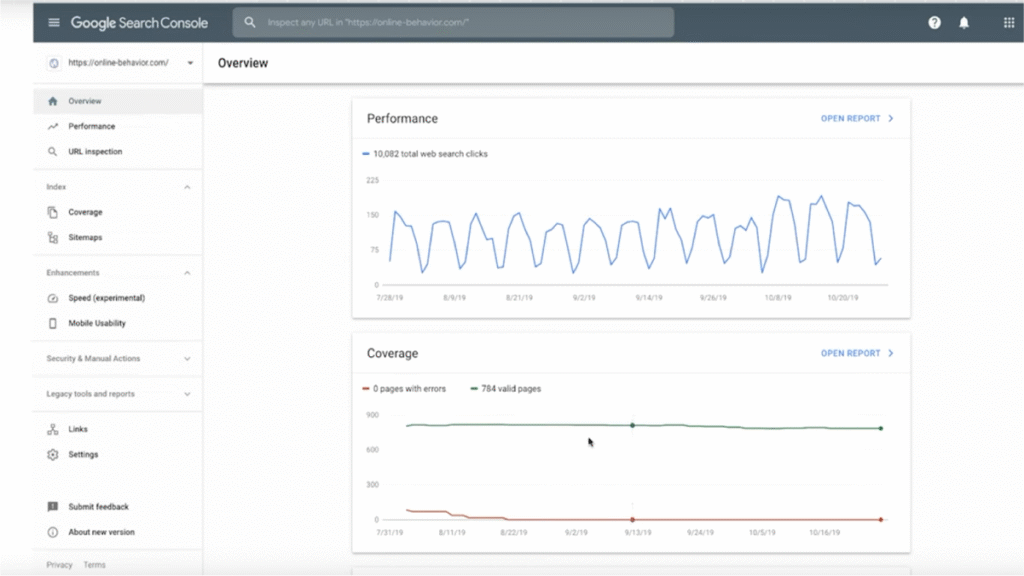
Google Search Console is a free tool from Google that shows how your site appears in search results. It helps you spot issues and track your site's performance. Here's what it offers:
- Performance report: View your keywords' clicks, impressions, and ranking data.
- Index coverage: Check which pages are indexed and fix errors.
- URL inspection: See how Google views a specific page and identify issues.
- Mobile usability: Detects problems that may affect mobile users.
- Security alerts: Get notified of any security issues on your site.
- Performance report: View your keywords' clicks, impressions, and ranking data.
For example, if you publish a post about yoga, you can see how often it shows up in searches, how many clicks it gets, and if any indexing issues need attention.
Prefer one easy workflow instead of 5 separate tools? Then, use a digital content management service to focus on strategy, not dashboards.
3. Hootsuite
Hootsuite is a social media management platform that simplifies content distribution. It helps you plan, schedule, and monitor posts across multiple platforms from one dashboard, saving time and keeping your messaging consistent.
- Post scheduling: Plan your content for Facebook, X (Twitter), Instagram, and more.
- Social monitoring: Track conversations and mentions to stay current with engagement and trends.
- Performance reports: View metrics to see which posts perform best and adjust your strategy.
- Multiple accounts: Manage several social media profiles without switching between apps.
- Post scheduling: Plan your content for Facebook, X (Twitter), Instagram, and more.
Here's a short tutorial on how to create and schedule content in Hootsuite's calendar:
4. Mailchimp
MailChimp is an email marketing platform that helps you send, automate, and track campaigns. It supports content managers by making it easier to reach your audience directly with features such as:
- Email campaign builder: Create appealing emails with an easy drag-and-drop editor.
- Automation: Set up automatic sequences that send emails based on user actions.
- Audience segmentation: Target specific groups based on interests and behavior for more personalized content.
- Analytics: Monitor open rates, clicks, and conversions to measure your campaign's performance.
- Integrations: Connect with e-commerce sites and social media platforms for a seamless workflow.
- Email campaign builder: Create appealing emails with an easy drag-and-drop editor.
A tool lets you schedule and send newsletters to inform your audience when promoting a new blog post or product. Not sure where to start? Explore this video and learn how to target the most relevant audience for your newsletter.
5. Trello
Trello is a project management tool that organizes tasks using boards, lists, and cards —ideal for solo creators and enterprise content management setups. It simplifies managing your editorial calendar and content workflow. Here's how Trello supports content managers:
- Board setup: Create boards for each project or campaign.
- Task assignment: Assign cards to team members, set deadlines, and track progress.
- Visual workflow: Move tasks through stages like "Ideas," "In Progress," and "Completed" to see progress at a glance.
- Collaboration: Add comments, attach files, and integrate with other tools like Slack and Google Drive.
- Board setup: Create boards for each project or campaign.
By setting up a board, every task moves from planning to publication without missing a step—and Trello's automation calendar makes staying on schedule even easier. Watch the quick video below to see how to set it up.
Prefer one easy workflow instead of 5 separate tools? Then, use a digital content management service to focus on strategy, not dashboards.
How to Combine These 5 Tools?
Combining these platforms creates a workflow that covers all aspects of content management. Here's a simple guide:
Plan and research: Use SEMrush for keyword research and competitor analysis. Then, verify your findings with Google Search Console to understand what's working on your site.
Organize projects: Set up your editorial calendar and assign tasks in Trello. This will keep everyone on the same page and track progress from idea to publication.
Promote your content: Schedule and monitor social media posts with Hootsuite. When it's time to reach your audience directly, use MailChimp for email campaigns.
Monitor and adjust: Review insights from each tool. Adjust your strategy based on data from SEMrush, Google Search Console, and performance reports from Hootsuite and Mailchimp.
Using these tools together helps you cover research, creation, distribution, and performance monitoring, ensuring your content reaches the right audience efficiently.
Need a Faster Setup?
Five tools are enough to plan, publish, and track content efficiently. When used correctly, they save time and reduce confusion.
Book a call with our content management team to organize your workflow and avoid wasted time.