Publishing content:” It's a technical process that determines how your article performs once it's live — whether it loads fast, displays correctly, and ranks in search results. When these steps are overlooked, even high-quality writing can fail to reach your audience.
In this article, we'll explain the most common mistakes made during content publishing, why they matter, and how to avoid them. You'll also learn how to use the right tools and content publishing services.
What Is Content Publishing?
Understanding your audience, CMS, scheduling, tools, and distribution channels is what separates professional publishing from simple "click and post" publishing. When these elements are managed strategically and in sync, your content goes out on time and actually delivers results.
So, what should content publishing entail?
- Formatting,
- SEO optimization,
- Testing,
- Incorporating different media formats such as video, GIFs, and images,
- Making sure everything looks and functions properly before going live.
These steps should ideally happen after writing and editing every piece, and they're typically some of the most overlooked parts of the digital marketing process.
When done right, content publishing ensures that your article, blog, or landing page loads quickly, is accessible to all users, and ranks well in search results. Done poorly, it can undermine even the best-written piece of content.
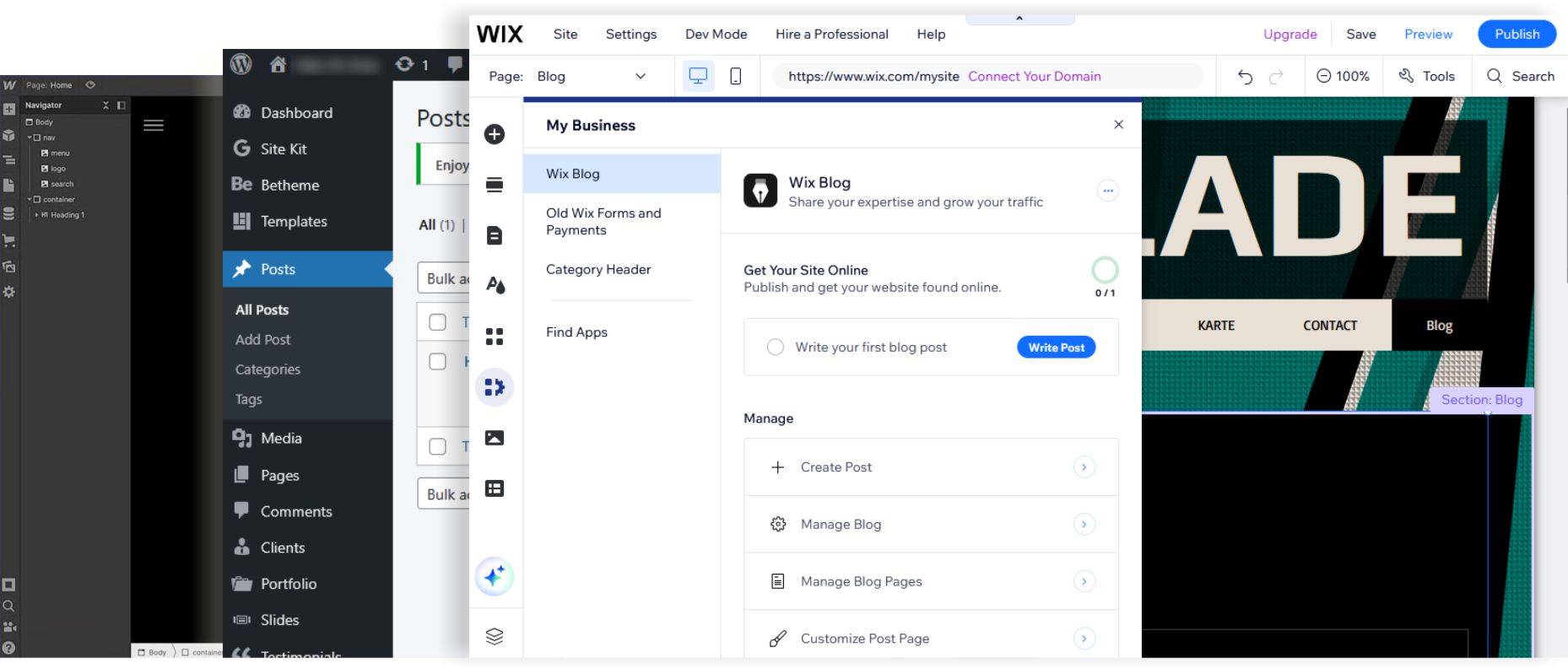
Most businesses today rely on a content management system (CMS) for publishing, like WordPress, Wix, or Webflow. These platforms simplify the process, but they're not foolproof. Without a solid workflow, technical errors can still slip through and harm your SEO or user experience.
Why Technical Accuracy Matters in Content Publishing
Every piece of content you publish has the potential to either help or hurt your website's performance. Search engines look at more than just keywords nowadays. They measure site speed, mobile usability, link structures, and more.
A blog post that loads slowly, isn't optimized for mobile, or lacks internal links, can drop significantly in rankings. Worse, users will bounce quickly from a page that's hard to read or navigate, signaling to search engines that the content isn't valuable.
Technical publishing issues also affect accessibility. For example, missing alt text or unreadable contrast ratios can make your content difficult for screen readers, putting your site at risk of non-compliance and losing potential readers.
Publishing with accuracy can sometimes be overwhelming, which is why many brands choose to partner with content publishing services. If this is something you're considering, you can think of it as quality control for your digital presence.
Element | Professional Publishing Services | DIY “Click and Post” Publishing |
Website Performance | Optimized for site speed, mobile usability, and link structures to support SEO rankings | Risk of slow load times, poor mobile design, and weak linking |
User Experience | Clean formatting and navigation keep readers engaged and reduce bounce rates | Hard-to-read pages cause users to leave quickly |
Accessibility | Ensures alt text, contrast ratios, and compliance for screen readers | Missing accessibility features exclude some audiences |
Quality Control | Built-in review process to catch technical and formatting issues before publishing | Errors often slip through unnoticed |
Results | Stronger search engine signals, better user trust, and long-term digital growth | Rankings suffer, users disengage, and opportunities are lost |
Common Content Publishing Mistakes to Avoid
These are the most common mistakes in content publishing, so we advise treating this list as a checklist for what needs to be done beforehand.
Skipping Proper Formatting
Users today skim more than they read, so use clear headers, short paragraphs, and logical spacing. Wall-of-text posts or inconsistent styles confuse readers and drive them away, increasing bounce rates and reducing session time.
On the other hand, clear formatting supports accessibility and mobile readability, making it easier for screen readers and smaller screens to process the content.
Ignoring SEO Basics
SEO basics in publishing involve understanding how to optimize content from the start, using CMS plugins to track web performance, adding the right keywords, and ensuring every piece is set up for visibility, speed, and engagement.
Many skip basic SEO elements during publishing, like forgetting to write meta titles and descriptions, using non-descriptive URLs, and uploading images without alt text or proper names. These may seem minor, but collectively, they affect your rankings.
Tools like Yoast SEO (for WordPress) or on-page checkers like Ubersuggest can help you avoid missing something by accident and improve your ranking.
Not Testing on Multiple Devices
Just because a post looks great on desktop doesn't mean it's optimized for mobile. And with over half of all web traffic coming from phones, this is a mistake you can't afford to make.
Your publishing content management system may offer previews, but you should always manually test how your content looks on different screen sizes and browsers. Elements like buttons, fonts, and tables often shift in unexpected ways. Skipping this step can ruin the user experience for half your audience.
Overlooking Internal Linking
Internal links are hyperlinks that connect one page of your website to another, helping users navigate and signaling to search engines how your content is structured. Yet many publishers forget to add relevant links during the publishing stage.
When you don't connect your content, you miss the opportunity to guide users to related posts or product pages, keeping them engaged longer. During your content publishing workflow, always include at least a few internal links that align with your conversion or SEO goals.
Using the Wrong Publishing Content Management System Settings
Problems can also happen if you're not highly technical with your CMS or don't have a structured publishing system in place. In those cases, mistakes such as broken formatting, missing media, incorrect SEO settings, or publishing errors become much more common.
This is where professional uploading and publishing services can make a major difference by handling technical setup, media optimization, formatting consistency, and pre-publishing quality checks before content goes live.
Forgetting to Compress Media Files
High-quality images and videos are important for engagement, but large file sizes drastically slow down your site. That’s why you need image compression, which is the process of reducing a file’s size without noticeably lowering its quality. This helps your website load faster and improves both user experience and SEO.
Publishing without compressing media hurts page speed (which is a key ranking factor) and frustrates users who wait for a slow page to load. Tools like TinyPNG, ShortPixel, or built-in CMS compression settings can shrink files without compromising quality.
Skipping Quality Assurance Checks
Publishing isn’t done until QA is complete. Many businesses go live with broken links, missing images, unoptimized headings, or accessibility problems. These issues damage credibility and create friction for users.
Before every launch, run a quick checklist:
- Do all links work?
- Are all images displaying?
- Is alt text included?
- Are there typos?
5 Steps for Better Content Publishing Workflow
To make content publishing efficient, repeatable, and error-free, establish a streamlined workflow.
Here's what that can look like:
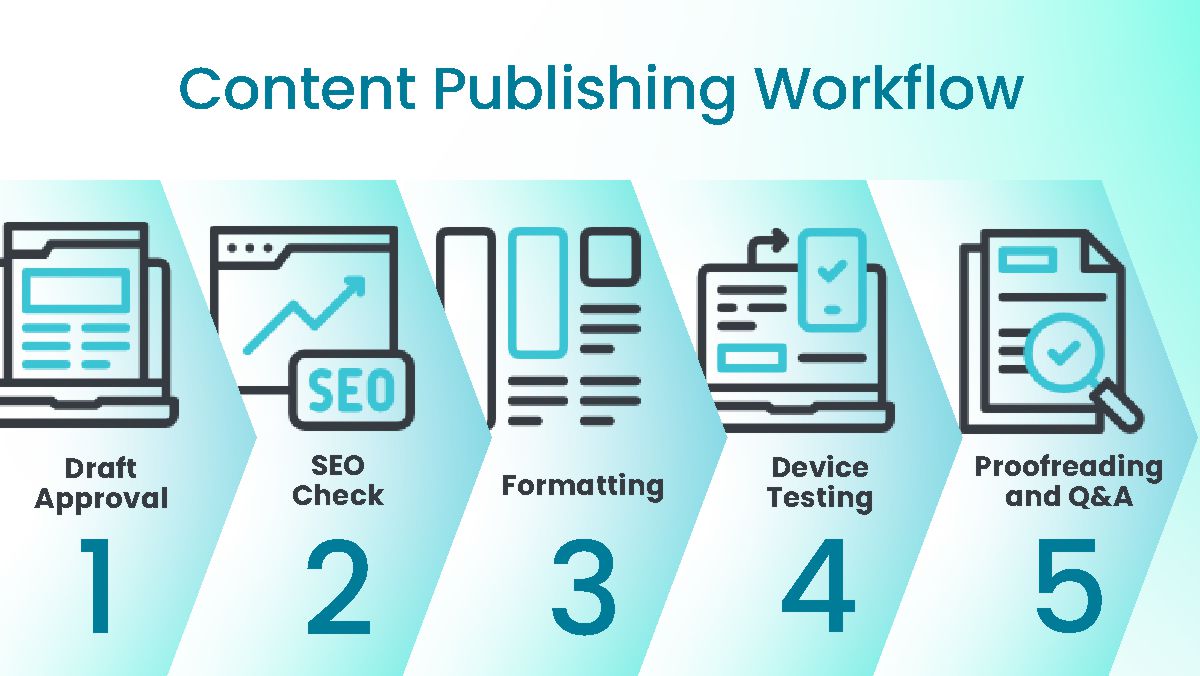
Step 1: Draft Approval
Whether you’re working solo or with a content team, having a defined “ready for publishing” status prevents unfinished or unreviewed content from going live. Assign responsibilities for writers, editors, and stakeholders so feedback is centralized and deadlines stay organized.
At this stage, review:
- Brand voice and messaging consistency
- Accuracy of information and sources
- Internal linking opportunities
- Content structure and readability
- CTA placement and conversion intent
Using collaborative tools and approval workflows can significantly reduce publishing delays and communication gaps.
Step 2: SEO Check
Before publishing, complete a full SEO optimization review to maximize organic visibility and search rankings. This includes optimizing meta titles, meta descriptions, headings, image alt text, URL slugs, and keyword placement throughout the content.
Important SEO checks include:
- Primary keyword placement in H1, introduction, and subheadings
- Proper heading hierarchy (H1 → H2 → H3)
- Internal and external linking strategy
- Optimized image sizes and descriptive alt text
- Schema markup where applicable
- Mobile-friendly readability and page speed considerations
Use SEO tools to validate keyword density, search intent alignment, and technical optimization before moving to the next step.
Step 3: Formatting
Once SEO is finalized, move to formatting and user experience optimization. Well-formatted content improves readability, increases engagement, and helps users scan information more efficiently.
Focus on:
- Consistent typography and spacing
- Clear section headings and subheadings
- Bullet lists and highlighted key points
- Embedded media such as videos, graphics, or downloadable resources
- CTA buttons and conversion elements
Accessibility improvements like contrast and readable font sizes
Formatting should support both desktop and mobile experiences while reinforcing your brand identity.
Step 4: Device Testing
After formatting, test the content across multiple devices and browsers to ensure a seamless user experience everywhere. Responsive design directly impacts engagement metrics, SEO performance, and conversion rates.
Test content on:
- Mobile devices
- Tablets
- Desktop screens
- Different browsers (Chrome, Safari, Firefox, Edge)
Check for:
- Broken layouts or overlapping elements
- Slow-loading images or scripts
- CTA visibility and functionality
- Font readability and spacing
- Responsive tables, forms, and media embeds
Cross-device testing helps eliminate UX issues before they affect users or rankings.
Step 5: Final Proofreading and Q&A
The final step is a comprehensive proofreading and quality assurance review. This ensures the content is polished, technically accurate, and fully optimized before publication.
Your QA checklist should include:
- Grammar and spelling corrections
- Broken link testing
- Metadata verification
- Image and media validation
- SEO compliance review
- CTA and form functionality checks
- Consistency in branding and formatting
Only after passing this final review should the content be scheduled or published. Maintaining a documented QA checklist improves long-term publishing consistency and reduces costly post-publication fixes.
To make your content publishing workflow more efficient, try using automation tools like Trello, Notion, or Asana for task management, and tools like Zapier to automate sharing and backups.
Ready to Make Publishing Simple?
Content publishing goes far beyond hitting "publish". It requires the right CMS, proper formatting, SEO optimization, testing, and quality checks. By following a clear workflow and avoiding common pitfalls, you can improve both the performance and impact of your content.
If this feels like too many steps (and it often is), let our publishing team handle it for you. Contact us and delegate the tasks you don't have time for!